Nixos on OrangePi R1 Plus LTS
2026-01-06
前言
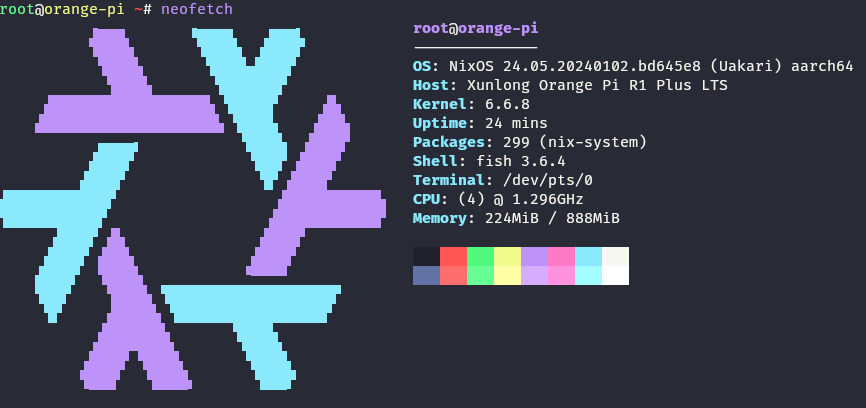
前几天买了个OrangePi R1 Plus LTS打算当作软路由,虽然网上已经有编译好的各种镜像,不过大多数是OpenWrt,并且固件比较旧。 偶然搜到这篇Arch Linux on Orangepi R1 Plus LTS,那么既然Arch都能装,那为什么不试试NixOS呢。
Github: ri-char/nixos-orangepi-r1-plus-lts
启动原理
rock-chips文档中有这么一幅图,很详细的描述了启动镜像的布局。
+--------+----------------+----------+-------------+---------+
| Boot   | Terminology #1 | Actual   | Rockchip    | Image   |
| stage  |                | program  |  Image      | Location|
| number |                | name     |   Name      | (sector)|
+--------+----------------+----------+-------------+---------+
| 1      |  Primary       | ROM code | BootRom     |         |
|        |  Program       |          |             |         |
|        |  Loader        |          |             |         |
|        |                |          |             |         |
| 2      |  Secondary     | U-Boot   |idbloader.img| 0x40    | pre-loader
|        |  Program       | TPL/SPL  |             |         |
|        |  Loader (SPL)  |          |             |         |
|        |                |          |             |         |
| 3      |  -             | U-Boot   | u-boot.itb  | 0x4000  | including u-boot and atf
|        |                |          | uboot.img   |         | only used with miniloader
|        |                |          |             |         |
|        |                | ATF/TEE  | trust.img   | 0x6000  | only used with miniloader
|        |                |          |             |         |
| 4      |  -             | kernel   | boot.img    | 0x8000  |
|        |                |          |             |         |
| 5      |  -             | rootfs   | rootfs.img  | 0x40000 |
+--------+----------------+----------+-------------+---------+
最前面0x40字节是MBR分区信息。我们所需要关注的是第2、3阶段。第2、3阶段所需要的文件idbloader.img和u-boot.itb是由U-Boot编译生成的。因此只需要编译好后按照上图所示的布局排列好,刷入TF卡中即可。
详细配置
编译U-Boot
U-Boot在2023年7月加入的Orange Pi R1 Plus LTS的设备树(见9bd954ab),因此需要使用较新的U-Boot源码。由于现在的内核都比较大,但是u-boot中的内存布局给内核留的空间较小,所以需要一点patch。最终编译配置如下
{
  buildUBoot,
  armTrustedFirmwareRK3328,
  ...
}:
buildUBoot {
  defconfig = "orangepi-r1-plus-lts-rk3328_defconfig";
  extraMeta = {
    platforms = ["aarch64-linux"];
  };
  patches = [
    ./0001-Boot-environment.patch
  ];
  enableParallelBuilding = true;
  BL31 = "${armTrustedFirmwareRK3328}/bl31.elf";
  filesToInstall = ["u-boot.itb" "idbloader.img"];
}
以及0001-Boot-environment.patch
diff --git a/include/configs/rk3328_common.h b/include/configs/rk3328_common.h
index bd2bfe2910..7a321e16b0 100644
--- a/include/configs/rk3328_common.h
+++ b/include/configs/rk3328_common.h
@@ -14,14 +14,14 @@
 #define SDRAM_MAX_SIZE			0xff000000

 #define ENV_MEM_LAYOUT_SETTINGS		\
-	"scriptaddr=0x00500000\0"	\
+	"scriptaddr=0x00b00000\0"	\
 	"script_offset_f=0xffe000\0"	\
 	"script_size_f=0x2000\0"	\
-	"pxefile_addr_r=0x00600000\0"	\
-	"fdt_addr_r=0x01e00000\0"	\
+	"pxefile_addr_r=0x00c00000\0"	\
+	"fdt_addr_r=0x07e00000\0"	\
 	"fdtoverlay_addr_r=0x01f00000\0"	\
 	"kernel_addr_r=0x02080000\0"	\
-	"ramdisk_addr_r=0x06000000\0"	\
+	"ramdisk_addr_r=0x0c000000\0"	\
 	"kernel_comp_addr_r=0x08000000\0"	\
 	"kernel_comp_size=0x2000000\0"
制作SD卡镜像
SD卡镜像制作主要参考了ryan4yin/nixos-rk3588以及gytis-ivaskevicius/orangepi-r1-plus-nixos-image,只需要把固件按照rock-chips文档中的布局排布即可。由于完整代码过长,下面列出几个关键命令。
# 将创建文件$img,并指定文件大小$imageSizeBytes
truncate -s $imageSizeBytes $img

# 创建主分区
sfdisk $img <<EOF
    label: dos

    start=$rootPartitionOffsetBlocks, type=linux, bootable
EOF

# 获取$img的第一个分区的起始位置和大小
eval $(partx $img -o START,SECTORS --nr 1 --pairs)

# 将rootfs.img写入第一个分区
dd conv=notrunc if=./root-fs.img of=$img seek=$START count=$SECTORS

# 写入idbloader.img
dd if=idbloader.img of=$img seek=64 conv=notrunc

# 写入u-boot.itb
dd if=u-boot.itb of=$img seek=16384 conv=notrunc
启动
编译好后,使用dd命令将镜像写TF卡中,就可以启动了。